Troubleshoot error messages
Problem: Name or service not known error
This error is displayed as a tooltip when you hover the mouse over an error condition on a connector. An example follows; yours might look different.
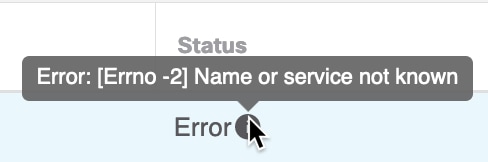
Solution: Edit the connector and check for:
-
A trailing slash on a host name
-
(On-Prem Firewall Management Center adapter only.) A scheme at the beginning of a host name (for example,
https://) -
Verify the password is correct
-
For an On-Prem Firewall Management Center adapter, verify the contents of the FMC Server Certificate field.
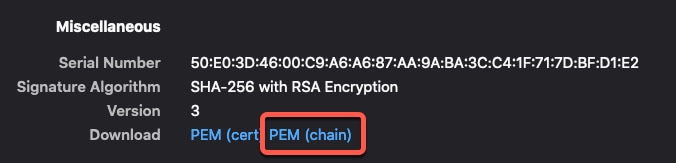
For more information, see Manually get a certificate authority (CA) chain.
Problem: [X509 PEM lib]
This error is displayed as a tooltip when you hover the mouse over an error condition on a connector.
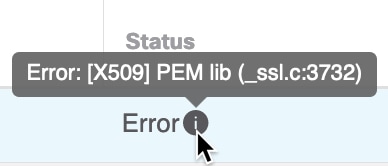
Solution: Edit the connector and check the CA chain. For more information, see Manually get a certificate authority (CA) chain.
Problem: Incorrect username or password
This error is displayed as a tooltip when you hover the mouse over an error condition on a connector.
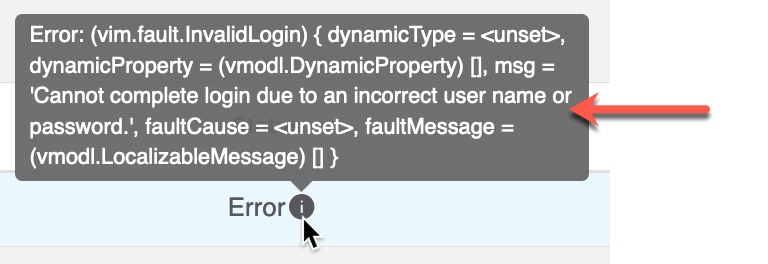
Solution: Edit the connector and change the user name or password.
Problem: Authentication token not found in header
This error is displayed when you attempt to test the connection with an adapter user that does not have sufficient privileges on the :

Problem: Timeout or max retries error for an adapter
This error is displayed as a tooltip when you hover the mouse over an error condition on an adapter.
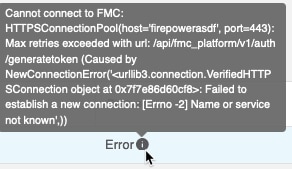
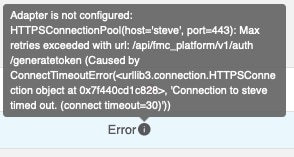
Solution: Do all of the following:
-
Verify the management center is running and that it can be reached from the dynamic attributes connector.
-
Verify the contents of the FMC Server Certificate field.
-
Make sure the value you entered in the IP field exactly matches the certificate's Common Name.
For more information, see Manually get a certificate authority (CA) chain.


 Feedback