Overview
Illustrates the end-to-end workflow to configure a route-based hub-and-spoke topology in Firewall Management Center (FMC).
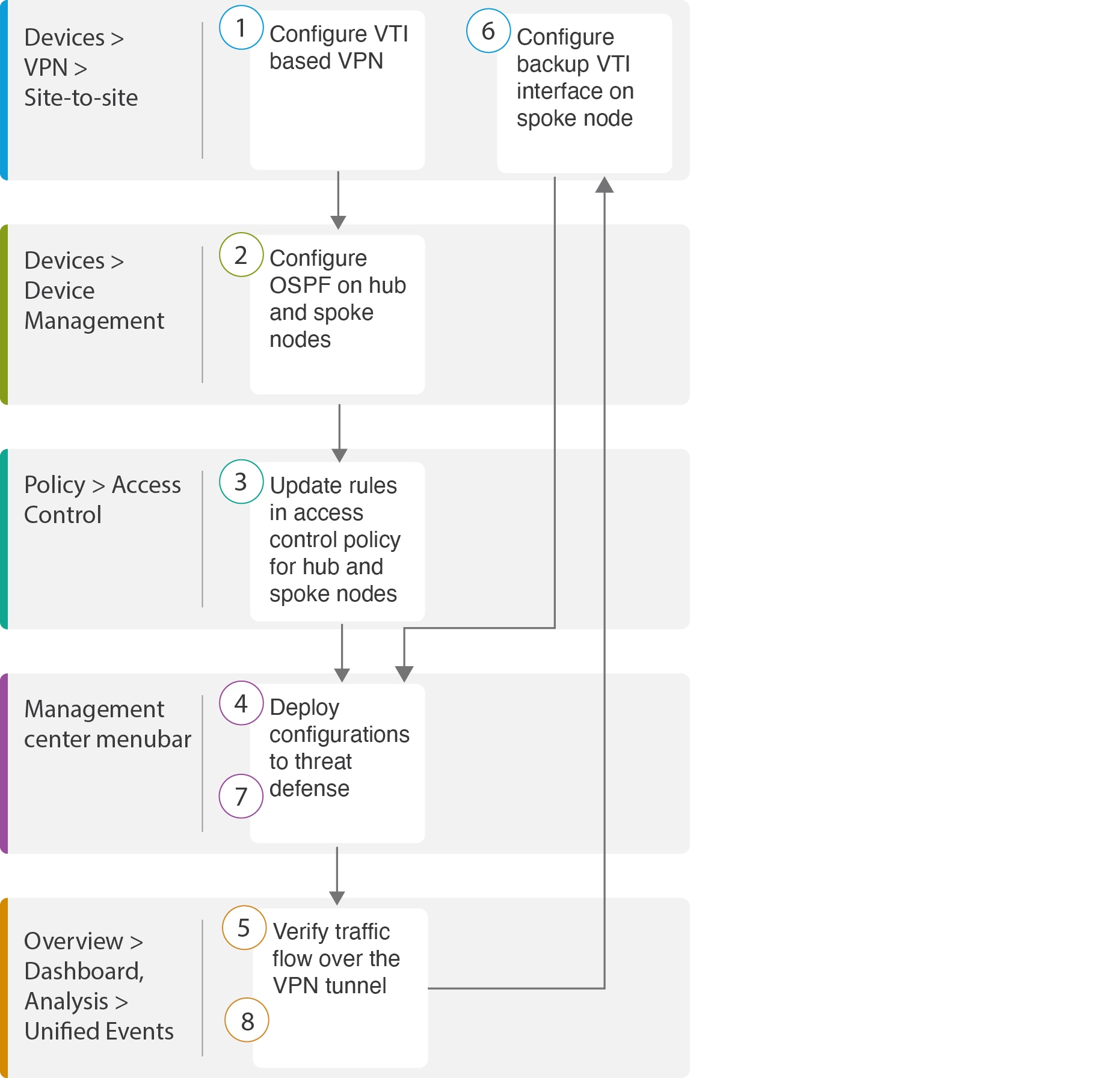
The following flowchart illustrates the workflow for configuring a route-based VPN for a hub spoke topology in Secure Firewall Management Center.
| Step |
Description |
|---|---|
 |
Configure a VTI based VPN. See |
 |
Configure OSPF on the hub and spoke nodes. See |
 |
Updates rules in the access control policy for hub and spoke nodes. See Configure the Access Control Policy. |
 |
Deploy configuration to threat defense. See Deploy Configuration. |
 |
Verify traffic flow over VPN tunnel. See Verify Traffic Flow Over the VPN Tunnel. |
 |
Configure backup VTI on spoke node. See Configure the Backup VTI Interface on the Spoke Node. |
 |
Deploy the configuration on Threat Defense. SeeDeploy Configuration . |
 |
Verify traffic flow over secondary tunnel. See Verify the Primary and Secondary Tunnels. |